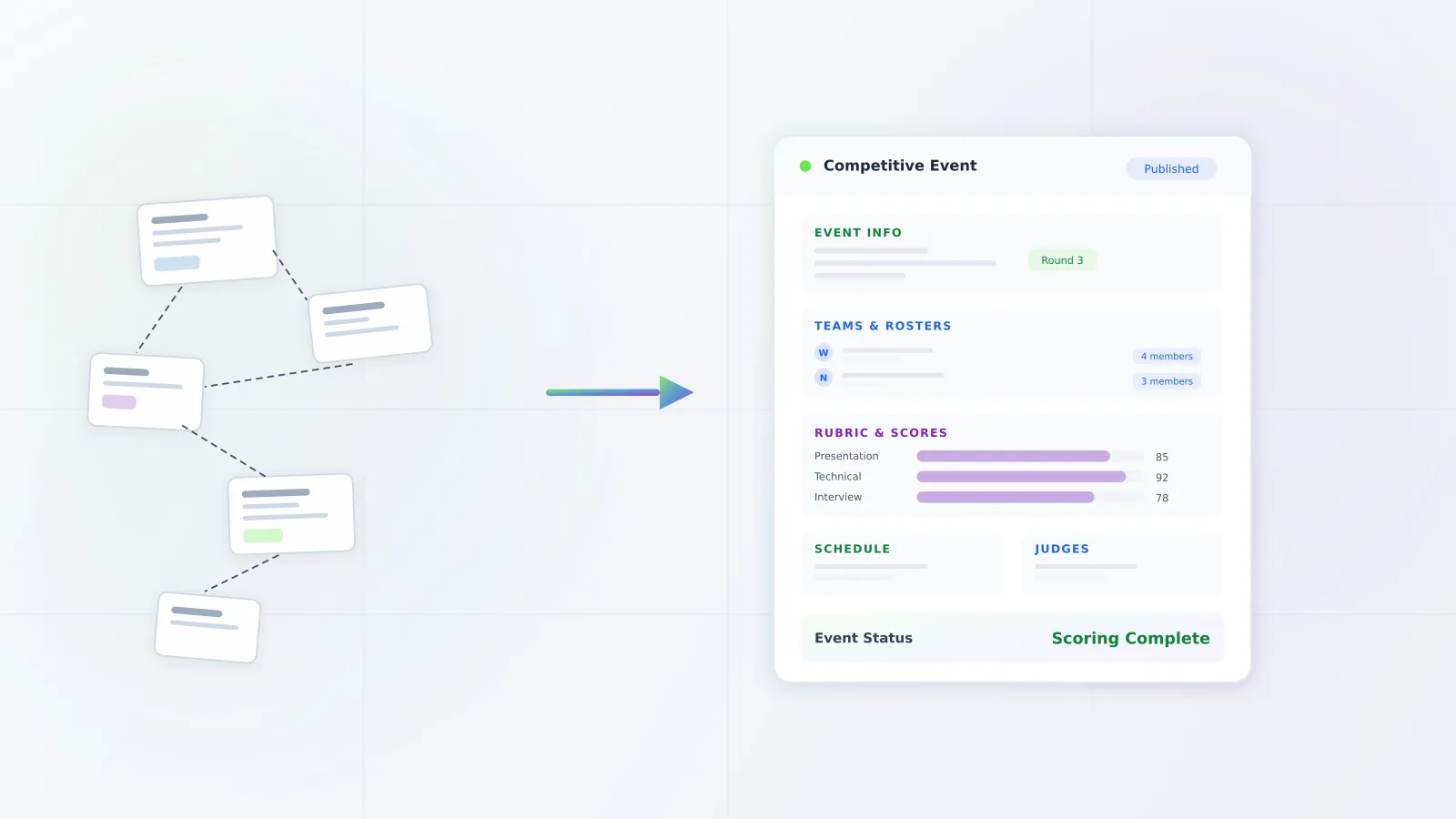
Switching CTSO management platforms is the process of moving your state association's member records, competitive results, payment history, and operational workflows from one software system to a new one. Most associations use a single platform for years, sometimes decades, so the decision carries real weight. A migration touches everything from chapter rosters and advisor accounts to years of competitive event placements that students reference on college applications and resumes. Done well, a platform switch is a controlled, reversible process with a defined cutover date and no permanent data loss. Done poorly, it disrupts your conference season and erodes trust with advisors and chapters. Understanding what migration actually involves, and where the real risks live, is the first step toward making a confident decision.
Why do CTSO associations stay on legacy platforms?
Institutional inertia is the most common reason associations stay put. Staff have spent years learning quirks in the current system, building workarounds, and training new team members on the same process. Switching means learning a new tool at the same time as running a demanding conference calendar. That tradeoff feels unattractive even when the current software is genuinely failing.
Fear of data loss runs a close second. Picture this: it's July, an advisor emails asking for a student's 2019 placement record for a scholarship application, and you're not sure that data survived the move. That scenario alone is enough to keep associations on platforms they've outgrown. Competitive results represent years of student achievement, and the idea that a migration could corrupt or erase that history is a real concern.
Long-term vendor contracts create lock-in too. Some legacy CTSO platforms require multi-year agreements, and associations that are mid-contract may feel they have no choice but to wait, even when day-to-day frustrations are mounting.
Finally, many associations simply aren't aware that purpose-built alternatives exist. The CTSO software market is small, and vendor marketing reaches state offices inconsistently. Staff may assume that what they have is what everyone has, and that the friction they experience is just the nature of running a large student organization.
What data needs to migrate when switching CTSO platforms?
A thorough migration covers several distinct data categories, and each requires its own validation step.
Member records include current students, advisors, alumni, and any pending applicants. Each record typically carries contact information, chapter affiliation, membership status, and payment history. Hierarchical relationships, like which advisor supervises which chapter and which chapters belong to which district or region, must be preserved exactly.
Chapter information covers the organizational units themselves: chapter IDs, school or employer affiliations, local officer rosters, and any custom fields your association has defined. Chapter-level data is often the anchor that ties member records together, so errors here cascade across other data sets.
Competitive event results and placements are the most sensitive category. This includes which students competed in which events, preliminary and final scores, placement rankings, and any trophies or recognition tied to specific conference years. Students reference these results in scholarship applications for years after graduation. Don't let a messy migration put that at risk.
Payment records and invoicing history document what chapters paid, when they paid, and whether any balances remain outstanding. Membership dues, event entry fees, and conference registration payments all fall here.
Competitive transcripts are a derived data type: the formatted output that assembles a student's full competitive history across multiple years and conferences. Some platforms generate these on demand; others store them as static documents. Either way, the underlying event result data that powers them must migrate cleanly. If you're running competitive events at your conference, you know how much this data matters.
Conference registration history captures which members attended which conferences, session selections, hotel blocks, and any special accommodations requested. Historical registration data is valuable for capacity planning and for resolving disputes about past attendance.
Custom configurations include scoring rubrics, event-specific eligibility rules, custom member fields, email templates, and any integrations with third-party tools your association has built over time.
When is the right time to switch CTSO software?
The post-conference summer window is the natural migration period for most associations. After your state conference closes and before fall membership renewals open, there's typically a two-to-four month stretch with lower operational pressure. Staff have bandwidth to learn a new system, validate migrated data, and run parallel testing without a live conference depending on the outcome.
Aligning the migration with your fiscal year start simplifies financial reconciliation. Starting fresh in a new platform at the beginning of a budget cycle means historical payment data stays in the old system as a read-only archive while all new transactions flow through the new one. Cleaner separation, cleaner audits.
The period between your state conference and fall chapter kickoff is also when your advisor community is most receptive to change. Advisors aren't in the middle of managing competitive preparations or student rosters. Introducing them to a new system during summer professional development carries far less disruption than rolling out a platform change in October with conference season approaching.
Avoid migrating during or immediately before a major conference. Full stop. The stakes for platform stability are highest when hundreds of chapters are submitting entries and students are waiting for results. Any migration introduced in that window introduces unnecessary risk.
What does a successful CTSO migration look like step by step?
We've helped associations through this process. Here's what actually works.
Discovery and requirements gathering comes first. Before any data moves, define what success looks like: which data sets are in scope, which custom configurations must be replicated, and what your go-live date is. Identify the staff members who will own each data category. Confirm with your new vendor what their import process supports. And get it in writing.
Data export from your current vendor is where many migrations hit their first wall. Request exports in standard formats, CSV or XLSX, for every data category. Confirm that competitive results exports include all relevant fields, not just summary placements. Document exactly what you received and what format each file is in before moving forward. Some vendors drag their feet here. Start early.
Import and validation in the new system means loading your exported data into the new platform in a staging environment. This isn't a one-pass process. Plan for at least two or three import cycles as you identify and resolve data quality issues: duplicate records, encoding problems, missing fields, hierarchy mismatches. Compare record counts between the old system and the new one for every data category. If the numbers don't match, find out why before you go live.
Parallel running means operating both systems simultaneously for a defined period, typically four to six weeks. New transactions go into the new platform while the old one remains accessible as a reference. Staff use this window to verify migrated data, test workflows, and confirm that competitive result lookups return accurate placements. This is your safety net. Use it.
Staff training should overlap with the parallel running period, not precede it. Training is more effective when staff can practice against real migrated data in a live environment. Identify power users in your office who can become internal resources for chapter-level questions after cutover. If one person knows how to do everything and they leave, you'll feel it.
Cutover is the formal go-live date when the old system moves to read-only archive access and all operations shift to the new platform. Communicate this date clearly to chapter advisors well in advance, including what they can and cannot access in the legacy system after cutover. No surprises.
Post-migration support from your new vendor should cover at minimum the first full conference cycle after go-live. Issues that weren't apparent in staging often surface during the first large registration push or competitive entry window. Confirm your support terms before signing. At CTSO Central, we've built post-launch support into our onboarding process because we know that's when it matters most. For more on running efficient conferences on the new platform, we've put together a full guide.
If you're evaluating how electronic judging will work in a new system, that's worth investigating during your discovery phase, not after go-live.
Frequently asked questions
How long does a CTSO platform migration take?
Most state associations complete a full migration in two to eight weeks when the project starts in early summer and targets a fall go-live. The timeline depends heavily on data quality in the source system and how quickly your current vendor responds to export requests. Associations with clean, well-maintained records in their legacy system move faster. Don't let a slow vendor response compress your timeline, start the export request early.
Will we lose historical competitive results?
Not if the migration is executed correctly. Historical competitive results should be exported in their entirety from your current platform and validated record by record in the new system before cutover. We treat historical data preservation as a core requirement at CTSO Central, not an optional feature. Ask any prospective vendor to walk you through exactly how they handle competitive results imports during your evaluation process. If they can't answer clearly, that's a red flag.
Can we run both platforms during the transition?
Yes, and you should. A parallel running period of four to six weeks is standard practice. During this window, your staff can verify data accuracy, test workflows, and build confidence in the new system before committing to full cutover. New member registrations and transactions should flow into the new platform during this period, with the legacy system serving as a read-only reference.
What if our current vendor doesn't export data easily?
Some legacy vendors make data exports difficult, either through technical limitations or contractual restrictions. Start by requesting exports in writing and documenting the response. Most vendor agreements include provisions for data portability, and your association has a legitimate interest in your own records. If exports are incomplete or formatted in proprietary ways, your new vendor's migration team should have experience working around common legacy formats. In the worst case, manual re-entry for smaller data sets or a phased migration that starts with current-year records may be necessary.